Not just text
A card can hold a snippet, an image, a PDF, a file or a document. Amber reads the words inside images and PDFs, so a screenshot is found by what it says.
Snippet manager
Amber keeps the text, images, PDFs and files you reuse in one organised library. Find one in a keystroke, copy it in a tap, and have it on every Apple device you own, with no account.
Download for MacFree on the Mac App Store · macOS 13 or later · Apple silicon and Intel
Or install the direct download with Homebrew:
brew install --cask chinmay-92/tap/amberDownload for iPhone and iPadFree on the App Store · iOS 16 or later
Download for iPhone and iPadFree on the App Store · iOS 16 or later
On a Mac you can also install it with Homebrew:
brew install --cask chinmay-92/tap/amber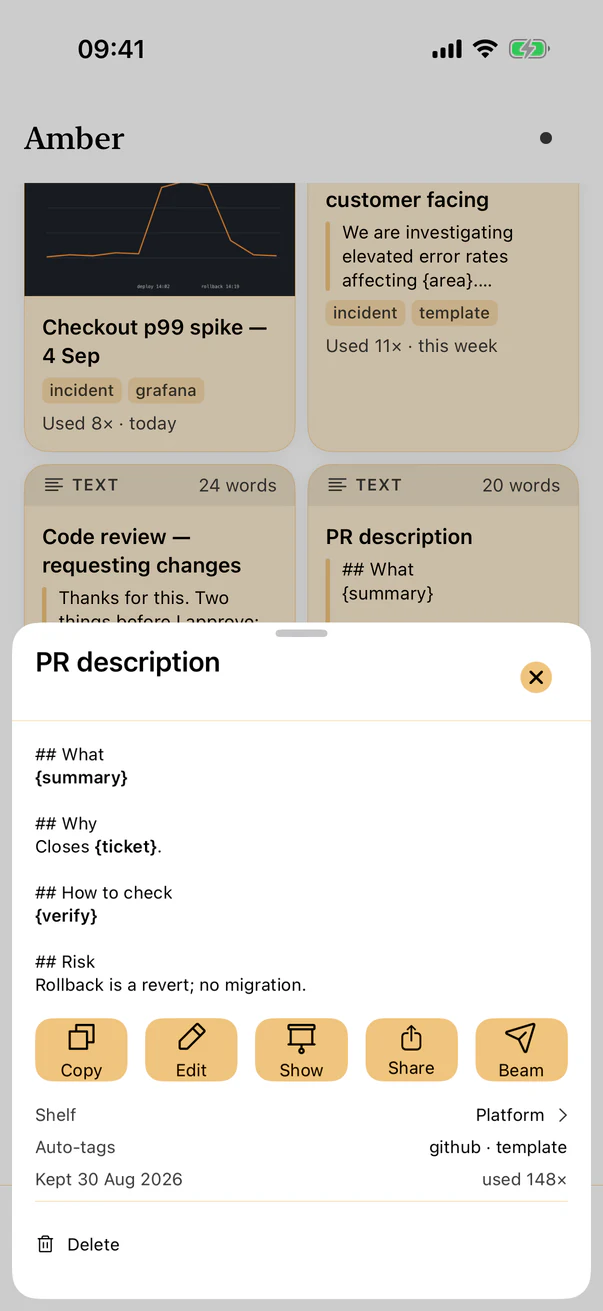
A card can hold a snippet, an image, a PDF, a file or a document. Amber reads the words inside images and PDFs, so a screenshot is found by what it says.
Projects hold shelves, and shelves nest inside them. Smart shelves are saved searches that stay current, such as “PDFs used this month”.
Widgets, Shortcuts, Spotlight and, on a Mac, a menu bar item and a ⌘⇧A shortcut that brings Amber to the front from any app.
There is no Amber account and no Amber server. Your library syncs through your own iCloud. The app has no analytics, no tracking and no ads.