Blanks, not find-and-replace
Write {name} wherever a reply changes. Amber steps through each blank, shows the finished text as you type, and copies the result.
Canned replies
Save the reply you retype every week as a template with blanks. Amber asks for each one in turn, the name, the date, the ticket, then hands you the finished text, ready to paste into Mail, Messages, Slack or a support desk.
Download for MacFree on the Mac App Store · macOS 13 or later · Apple silicon and Intel
Or install the direct download with Homebrew:
brew install --cask chinmay-92/tap/amberDownload for iPhone and iPadFree on the App Store · iOS 16 or later
Download for iPhone and iPadFree on the App Store · iOS 16 or later
On a Mac you can also install it with Homebrew:
brew install --cask chinmay-92/tap/amber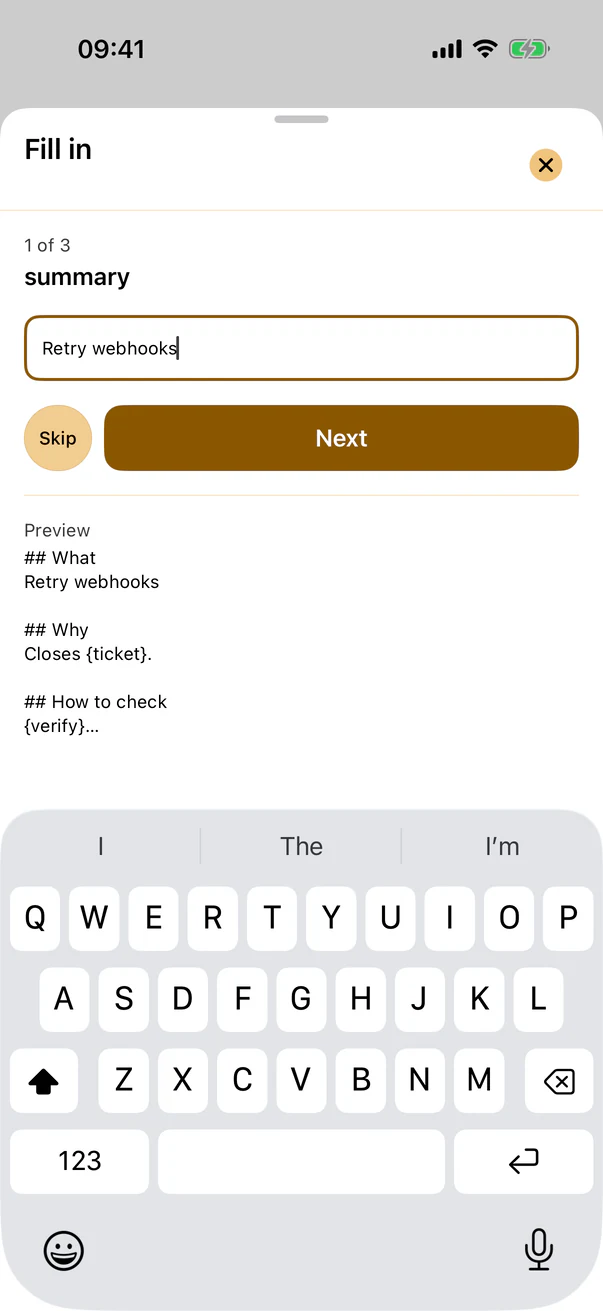
Write {name} wherever a reply changes. Amber steps through each blank, shows the finished text as you type, and copies the result.
Support answers, meeting follow-ups, invoice reminders, intros. Amber notes how often you use each one, so the ones you rely on stay close.
Press ⌘⇧A in any app, type a few letters of the template, fill it in and paste. Every action has a keyboard shortcut; ⌘/ lists them.
Import from Raycast, Alfred, Apple Text Replacements or a TextExpander CSV export. Their fill-in fields become Amber’s blanks.