Home & Lock Screen
Widgets keep it close
Keep from the clipboard, fill a form, or search. From the Home Screen or the Lock Screen.
For iPhone, iPad and Mac
Amber
Snippets, images, PDFs and files.
One library for everything you reuse, on iPhone, iPad and Mac.
Keep
Keep it once.
Paste it, type it, or share it in from any app. Every kind of thing lands in the same library.
Copy
Copy it again with one tap.
Tap a card and it is on your clipboard, confirmed by name.
Organise
Projects and smart shelves.
A project for each piece of work. Smart shelves for Text, Images and PDFs keep themselves up to date.
Everywhere
Share it in. Find it everywhere.
Share to Amber from WhatsApp, Slack, Mail or any app on iPhone and iPad (new in 1.2.1). Your own iCloud keeps every device in step.
Amber Pro
Free to start. Pro is yours for life.
Amber Pro is a one-off purchase, never a subscription.
Free to start · No account · Synced through your own iCloud
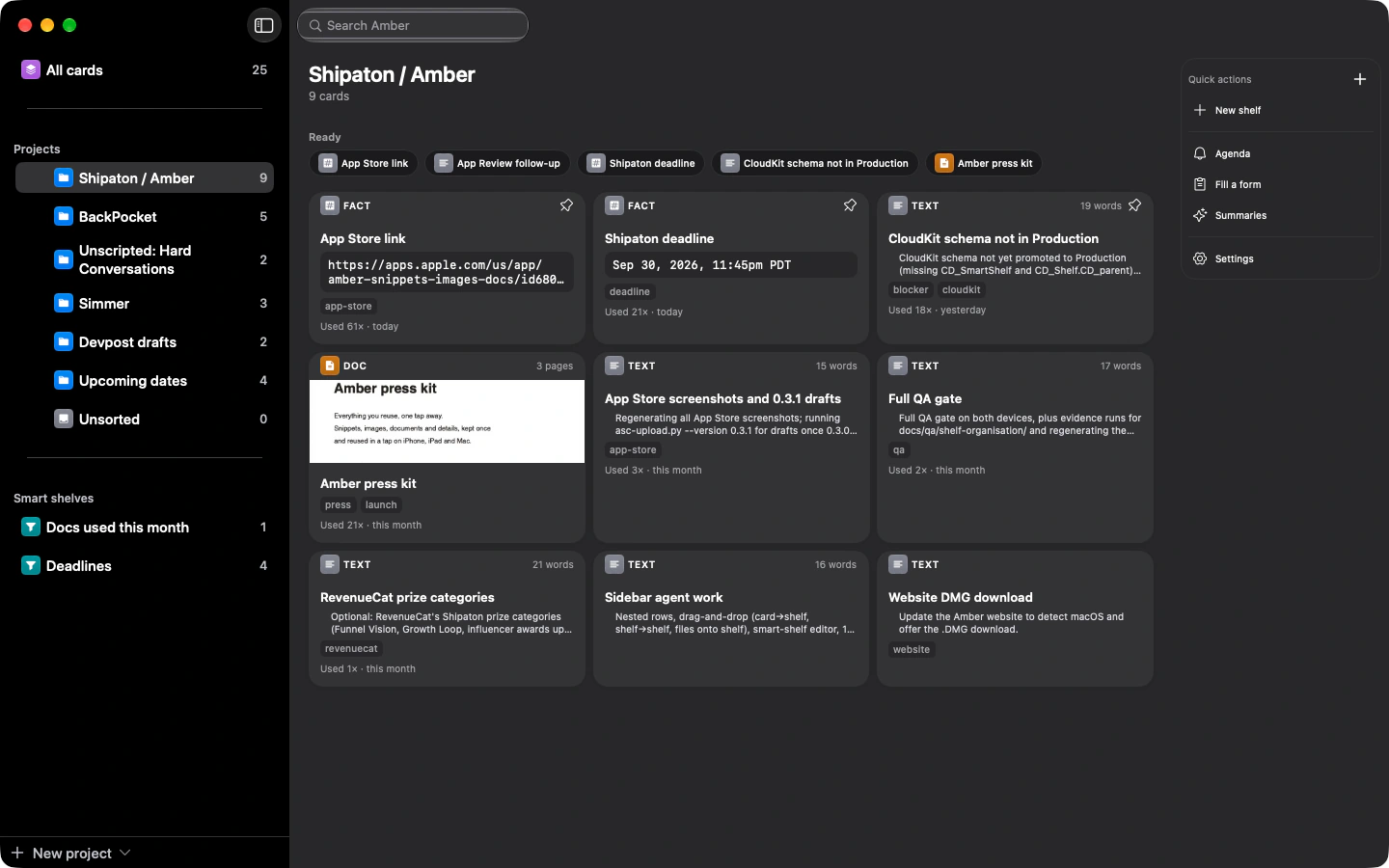
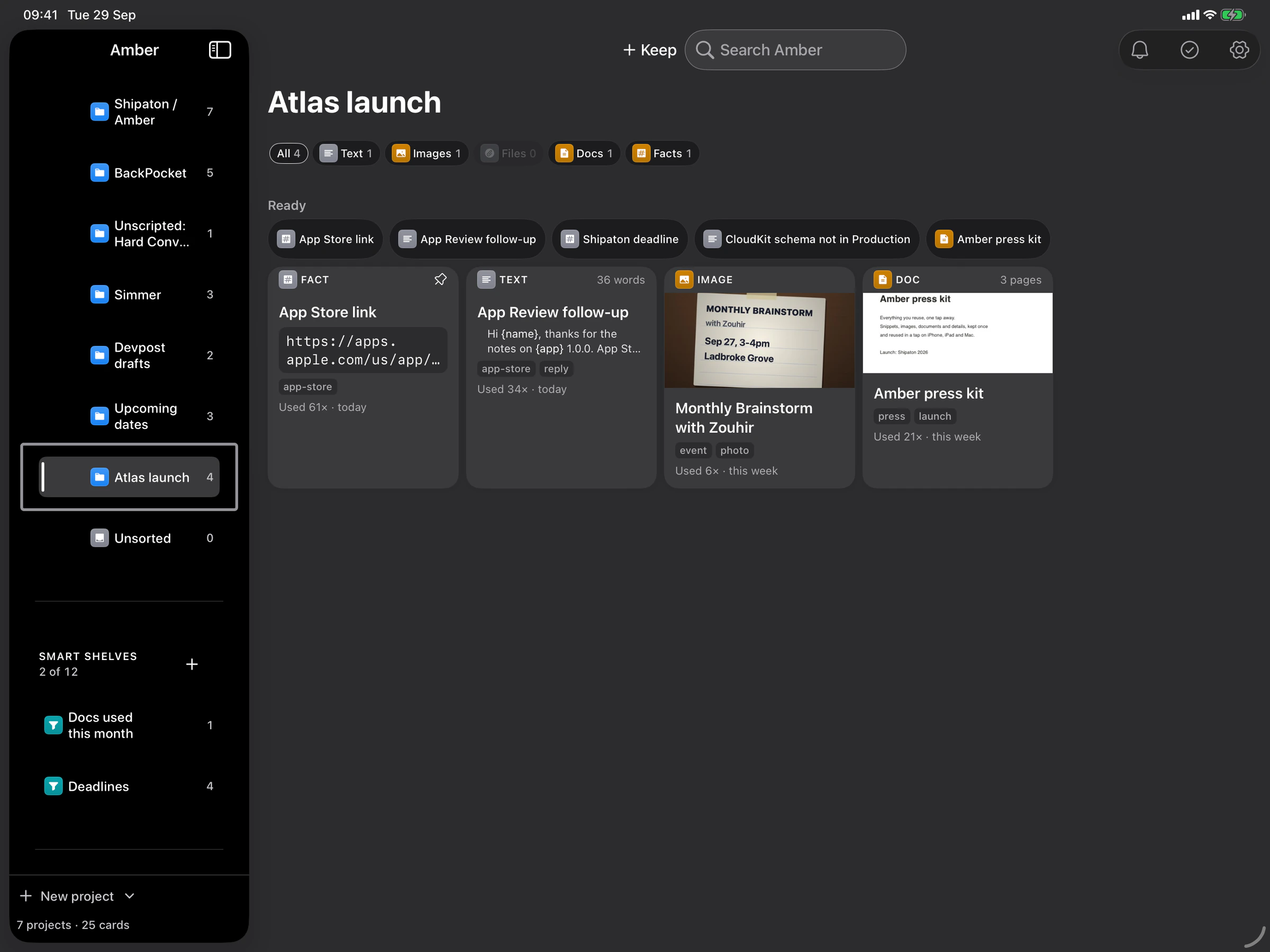
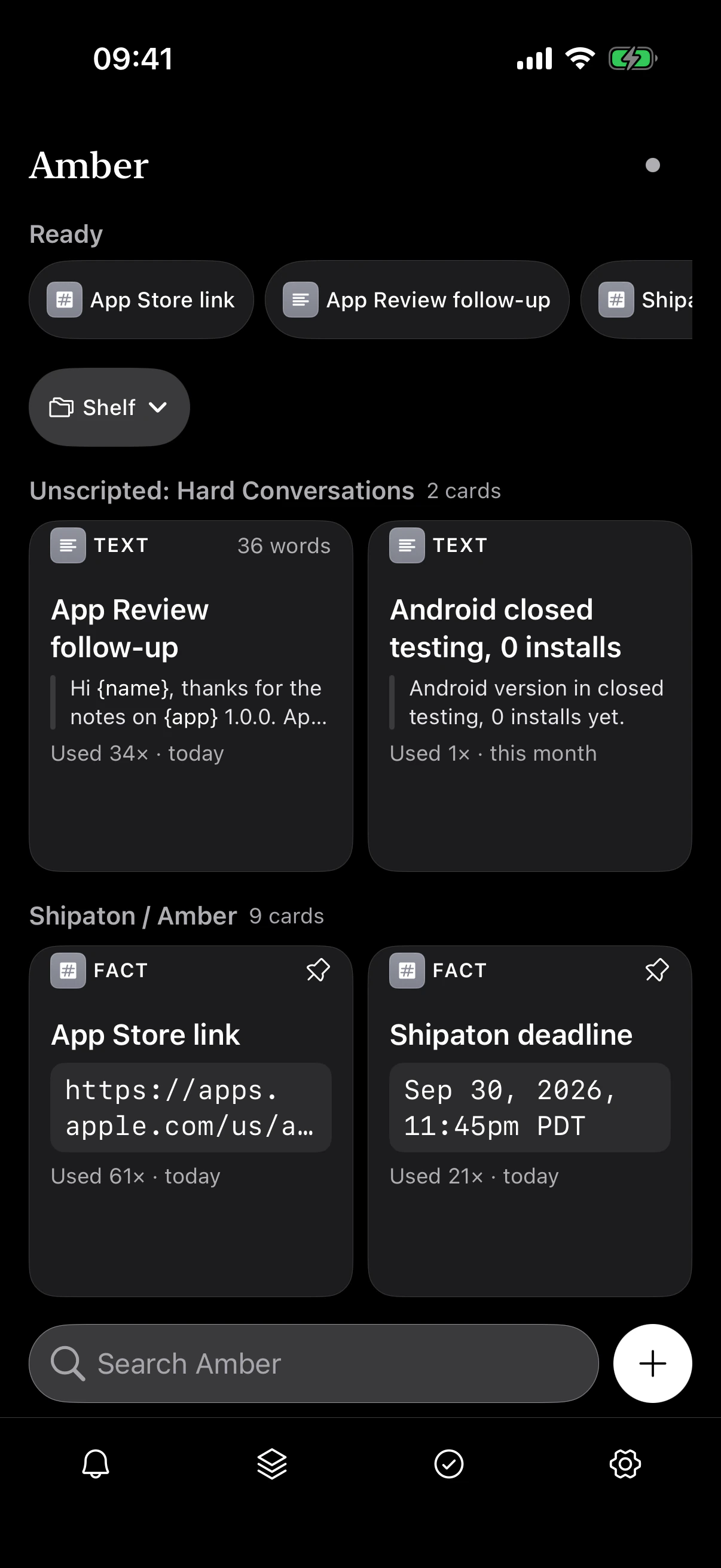
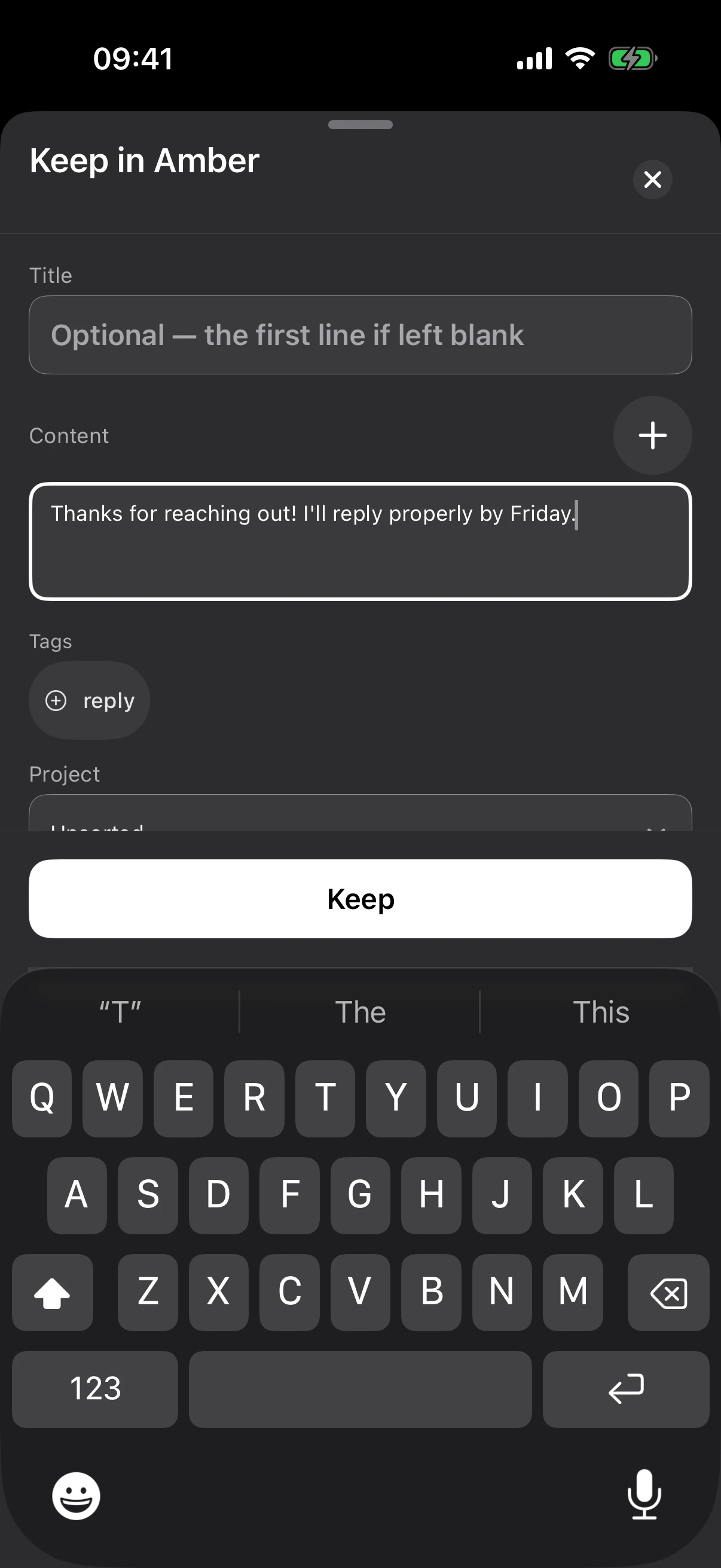
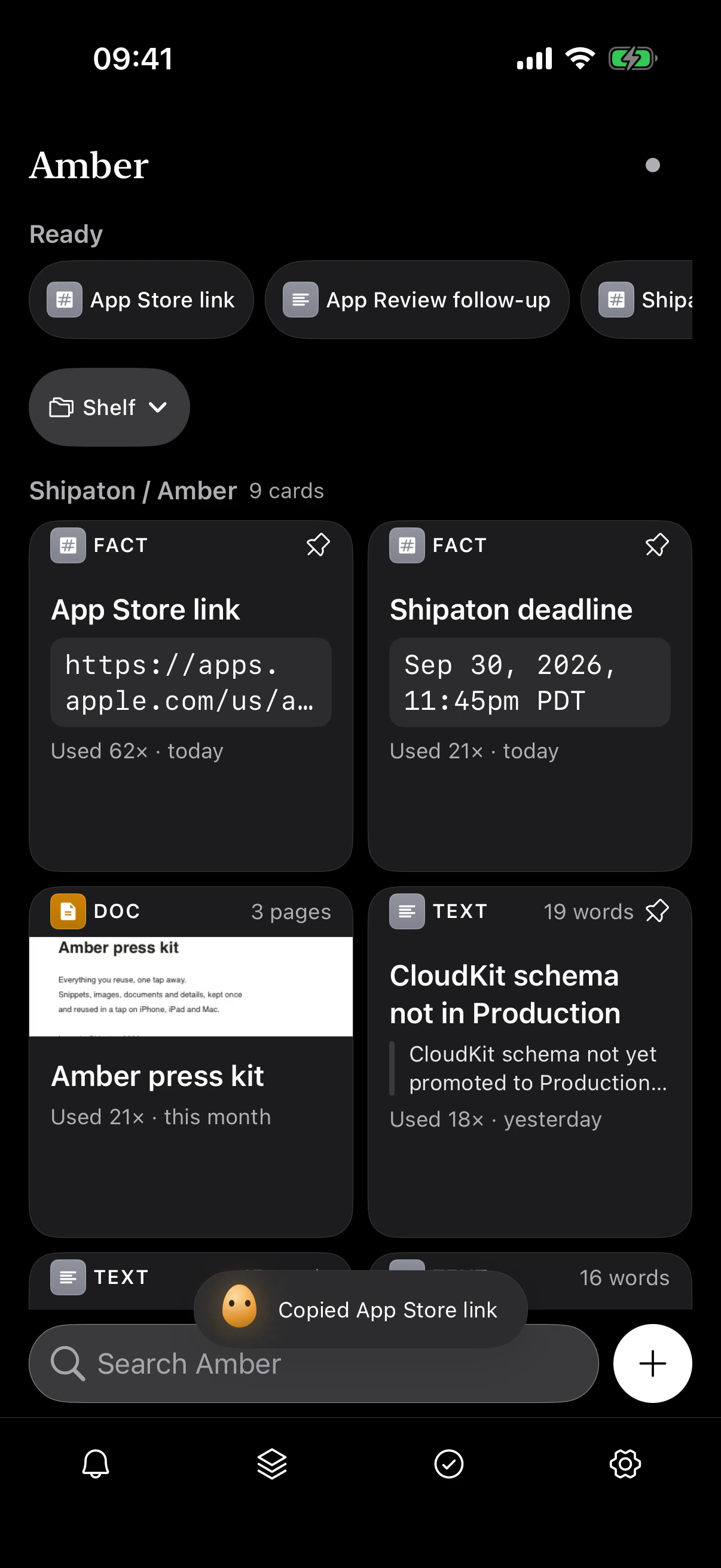
Native apps for iPhone, iPad and Mac
Amber is the organised home for your snippets, images, files and documents. Keyboard first, with widgets, Shortcuts and Spotlight, synced through your own iCloud with no account.
Download for MacFree on the Mac App Store · macOS 13 or later · Apple silicon and Intel
Or install the direct download with Homebrew:
brew install --cask chinmay-92/tap/amberAmber Pro is a one-off purchase, and the App Store handles the payment, so it can only be bought in the Mac App Store build. The direct download and Homebrew have every other feature.
The disk image is signed with Amber's Developer ID and notarised by Apple, so macOS checks it for you before it opens. To check it yourself, run shasum -a 256 on the file and compare:
72c179fc911ce60e7a680a0a5bb64f4686bac163767aadc4e8ef5f4ee780edb6
Download for iPhone and iPadFree on the App Store · iOS 16 or later
Download for iPhone and iPadFree on the App Store · iOS 16 or later
On a Mac you can also install it with Homebrew:
brew install --cask chinmay-92/tap/amberThe disk image is signed with Amber's Developer ID and notarised by Apple, so macOS checks it for you before it opens. To check it yourself, run shasum -a 256 on the file and compare:
72c179fc911ce60e7a680a0a5bb64f4686bac163767aadc4e8ef5f4ee780edb6
An illustration of the Amber window: a copied reply is kept with ⌘⇧A, filed into the Clients project, found again by typing “inv” in the search field, and copied back to the clipboard with one click.
Supports VoiceOver, Larger Text, Dark Mode and Reduce Motion. On a Mac, every action has a keyboard shortcut.
Watch it
The narrated walkthrough, filmed on the current build: keeping, finding, templates, Show Mode, projects, the Mac, reminders, Beam and Amber Pro.
Without opening the app
A snippet is only fast if you can reach it from wherever you already are.
Home & Lock Screen
Keep from the clipboard, fill a form, or search. From the Home Screen or the Lock Screen.
Shortcuts, Siri & Spotlight
“Copy from Amber” hands a card to the next Shortcuts action. Your cards are in Spotlight too.
On a Mac
Press ⌘⇧A in any app and Amber’s window comes to the front.
In any Mac app
Select text anywhere and keep it as a card from the Services menu.
The menu bar
Search your cards and copy one from the menu bar. The window stays closed.
Built for the keyboard
⌘/ lists every shortcut Amber has. ⌘C and ⌘V work on cards.
From the App Store
5.0 out of 5 from 18 ratings on the App Store
Fantastic!
Love the beam feature and syncing the data across my Apple device.
fast, lightweight snippet library
Excellent, lightweight app for quickly storing and reusing code, text templates, and documents without subscription bloat.
Selected public reviews from App Store storefronts. Reviews reflect individual customers' opinions.
Privacy
There is no Amber account and no Amber server. Everything lives on your device and syncs through your own iCloud.